
Why it doesn't exist
Each stage lives in a different document
Request
President's Budget
OMB's budget appendix and agency justifications
House
House bill and report
Committee report tables, often hundreds of pages
Senate
Senate bill and report
Its own tables, its own account names and scopes
Enacted
The law
The enacted bill and its explanatory statement
Across ten years, accounts are renamed, moved, merged and split, and tables print totals in different scopes. Lining them up takes judgment that no single document gives you.
Approps Intelligence
The account-level history that didn't exist, built once and built right.
Features
What you can do with it
Built for people who have to get the number right, and show where it came from.
Sources
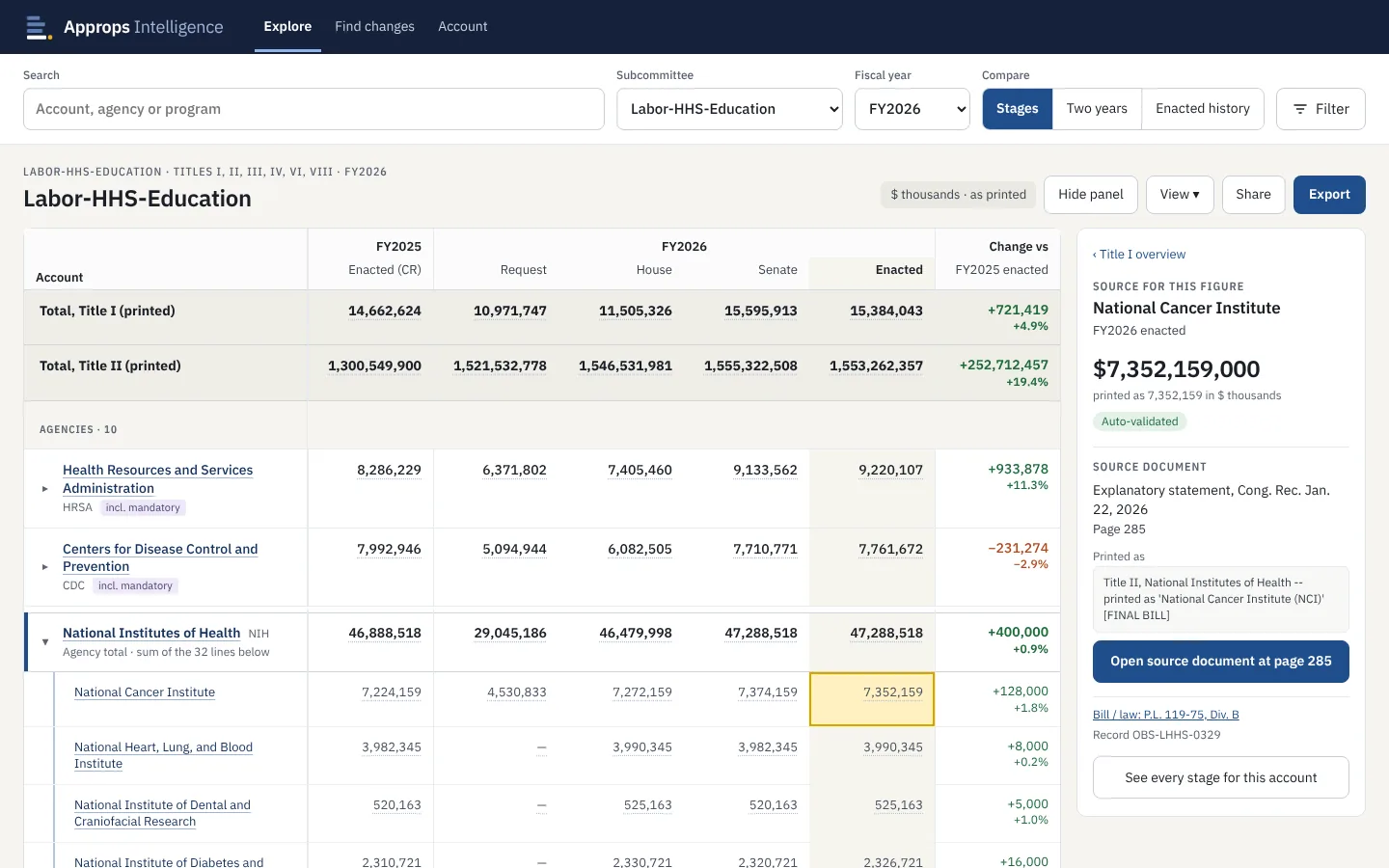
Click any figure, get its page
Each number shows the document, the page, the line as printed and the bill or public law it belongs to, with a button that opens the source at that page. No more paging through a long explanatory statement to confirm one number.
Explore
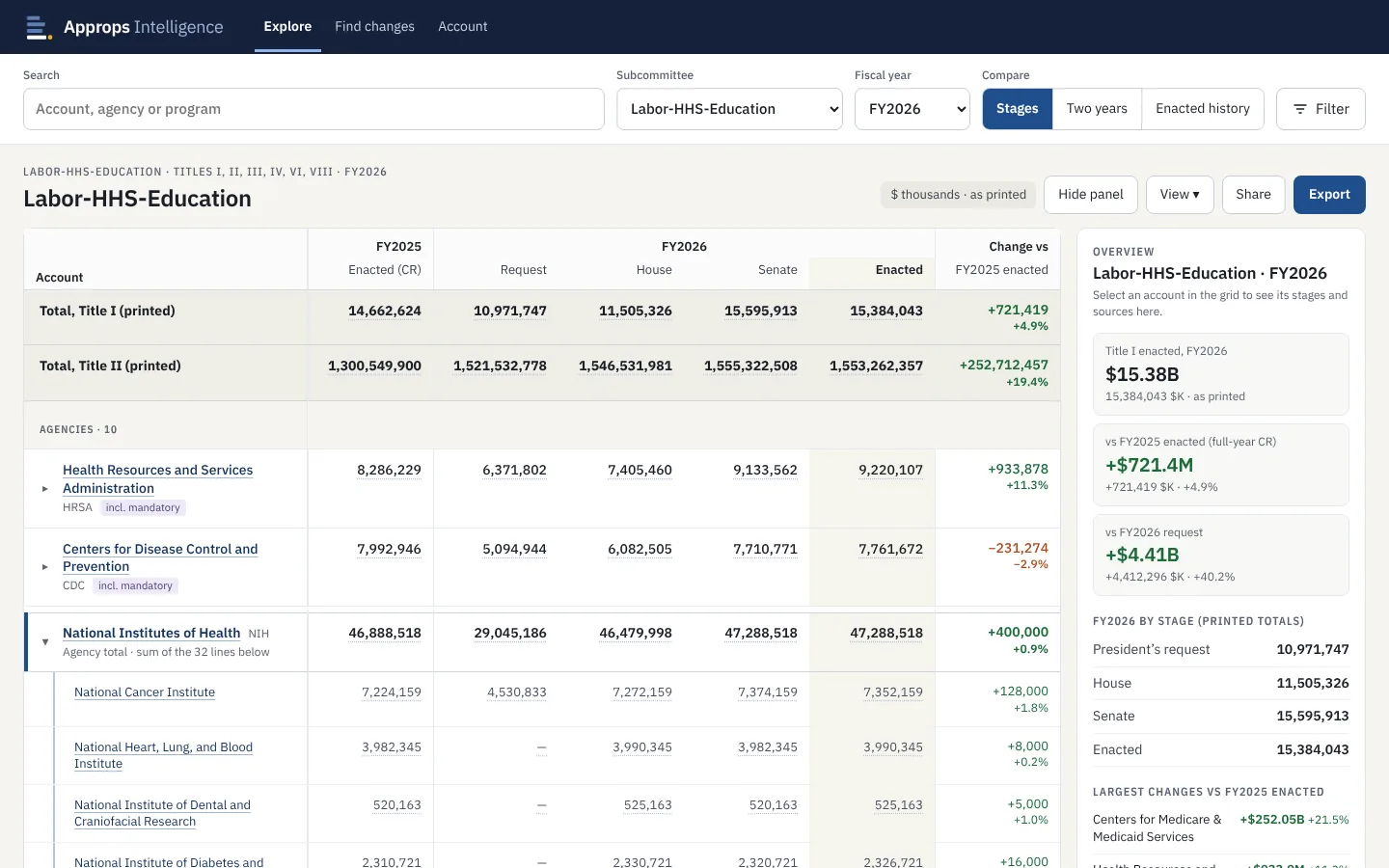
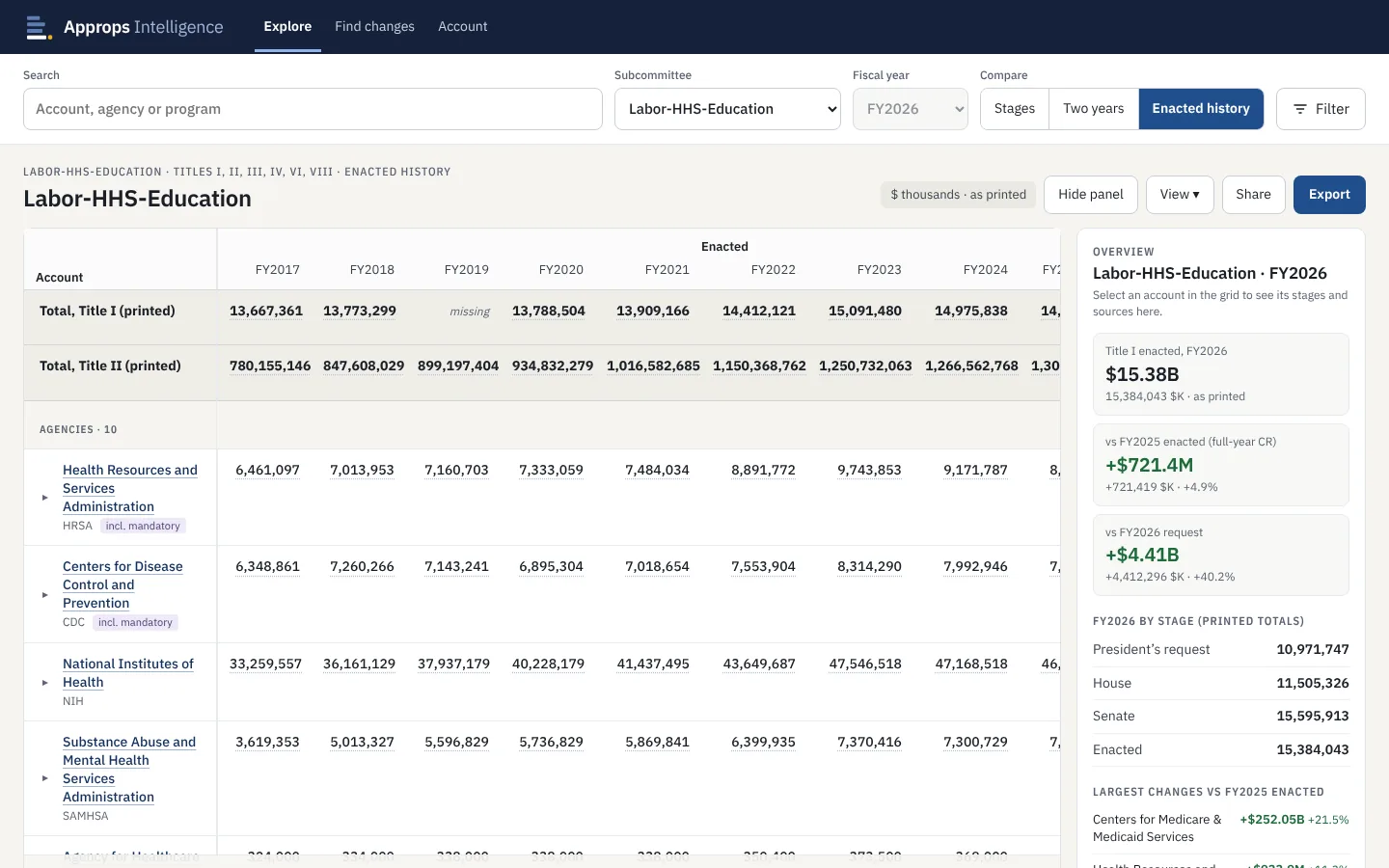
Ten years in one grid
Pick a subcommittee and year. See an agency or account across every enacted year since FY2017, compare any two years side by side, or line up the request, House, Senate and enacted levels for one year. Expand an agency to see each of its accounts. Accounts that were renamed or reorganized stay connected.
Find changes
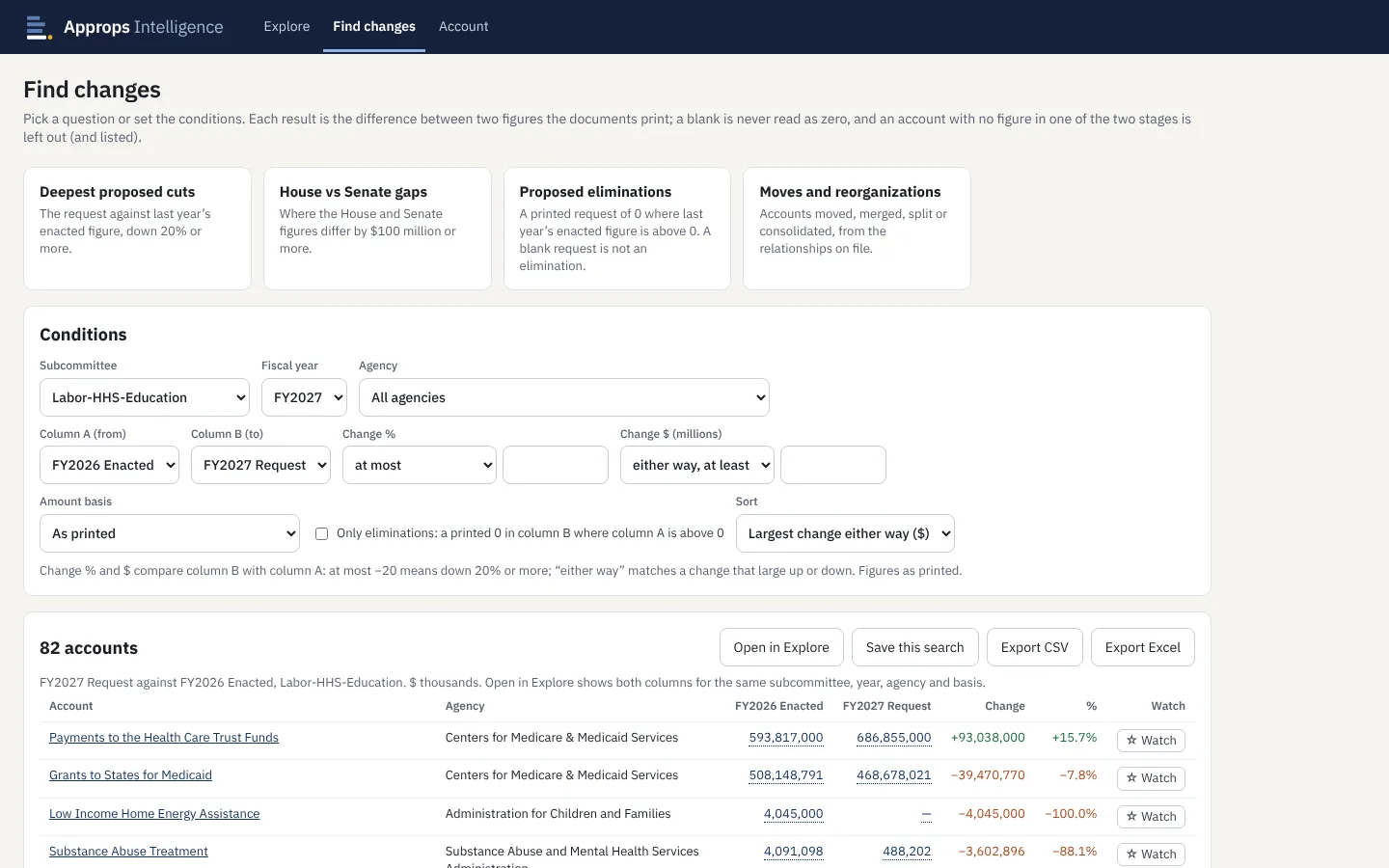
Ask the questions you're paid to answer
Deepest proposed cuts, House vs Senate gaps, proposed eliminations, and accounts that moved, merged or split. Or set your own conditions by subcommittee, agency, stage, percent and dollar change. Save a search, watch the accounts you follow, and export the results.
Account history
One account, every year it existed
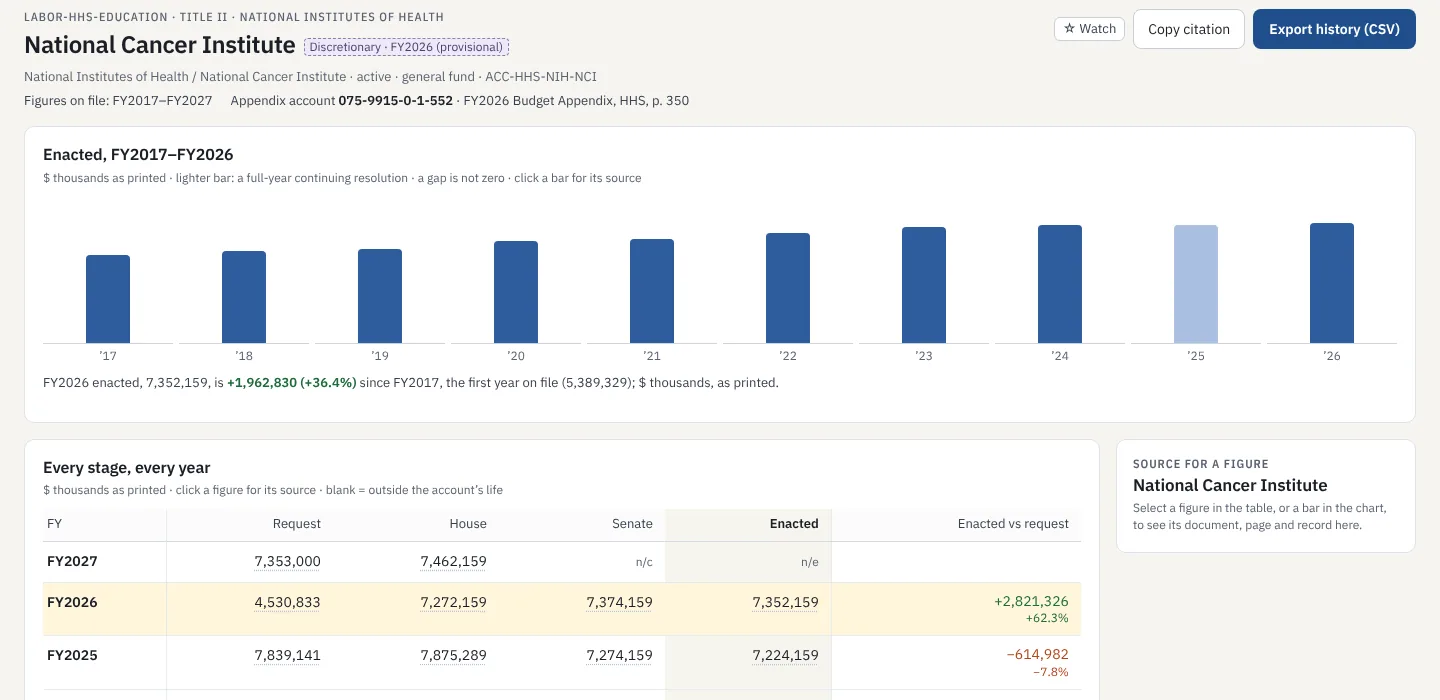
A chart of enacted levels, a table of every stage by year, and the request-to-enacted gap, with the account's Budget Appendix account and budget class and a source behind each figure. Watch an account, copy a ready-made citation, or export its history.
Export to Excel or CSV
Take the grid you're looking at into a workbook, with the rows, units and rounding you see on screen.
Choose your amount basis
Figures as printed, discretionary only, or program level, with advance appropriations counted when they become available or when enacted.
Share a view
Every view has its own link, down to the selected figure, so a colleague sees exactly what you see.
Works on your phone
A layout built for small screens: totals, the change from last year, and the source a tap away.
Who it's for
Built for the people who work the process
Congressional offices
- Build offset and cut proposals from real account history
- Compare House, Senate and request at a glance
- Cite the document and page in every memo
Government affairs and advocacy
- Lobbyists for companies with federal contracts or appropriations exposure
- Advocacy groups pushing funding for specific programs
- Back every ask with a cited figure
Banks and contractor advisors
- Track the funding path of programs clients depend on
- Spot proposed cuts and chamber gaps early
- Export clean, sourced figures into client work
Agency budget offices
Track your accounts through every stage and see how they compare with the rest of the bill.
Reporters and researchers
Ten years of account-level history with a citation for every figure.
Roadmap
Live today, and what's coming
Live today
- Commerce, Justice, Science and Labor-HHS-Education
- Fully covered from FY2017 through FY2027, every stage published so far
- Every figure cited to its document and page
- Watchlist, saved searches, CSV and Excel export
Coming next
- Near-instant ingestion as new bills and reports post
- Real-time alerts on watched accounts and saved searches
- Backfill of the remaining subcommittees
Pricing
One plan for one person, or one for an office
Individual
For one analyst, staffer or researcher.
$10 per month
- One seat
- Every subcommittee and year on file
- Upgrade to an Office plan at any time
Office
For an office, firm or team.
$10 per seat, per month
- As many seats as you need
- Invite colleagues by email; admins manage seats
- Card, invoices and cancellation in one billing portal
Create an account, then choose a plan. Prices shown are placeholders while billing is in test mode; no card is charged yet.
Stop rebuilding the history by hand.
Questions about coverage, office pricing or paying by invoice? Write to contact@appropsintel.com.